2026 Guide: How to Change Your Google Account Region to the US & Get YouTube Premium

Want to subscribe to US YouTube Premium but your Google account is locked to a different region? This straightforward guide will show you how to quickly switch your Google account to the US. Let's get started.
Step 1: Check Your Current Google Account Region
First, let's confirm your current account country.
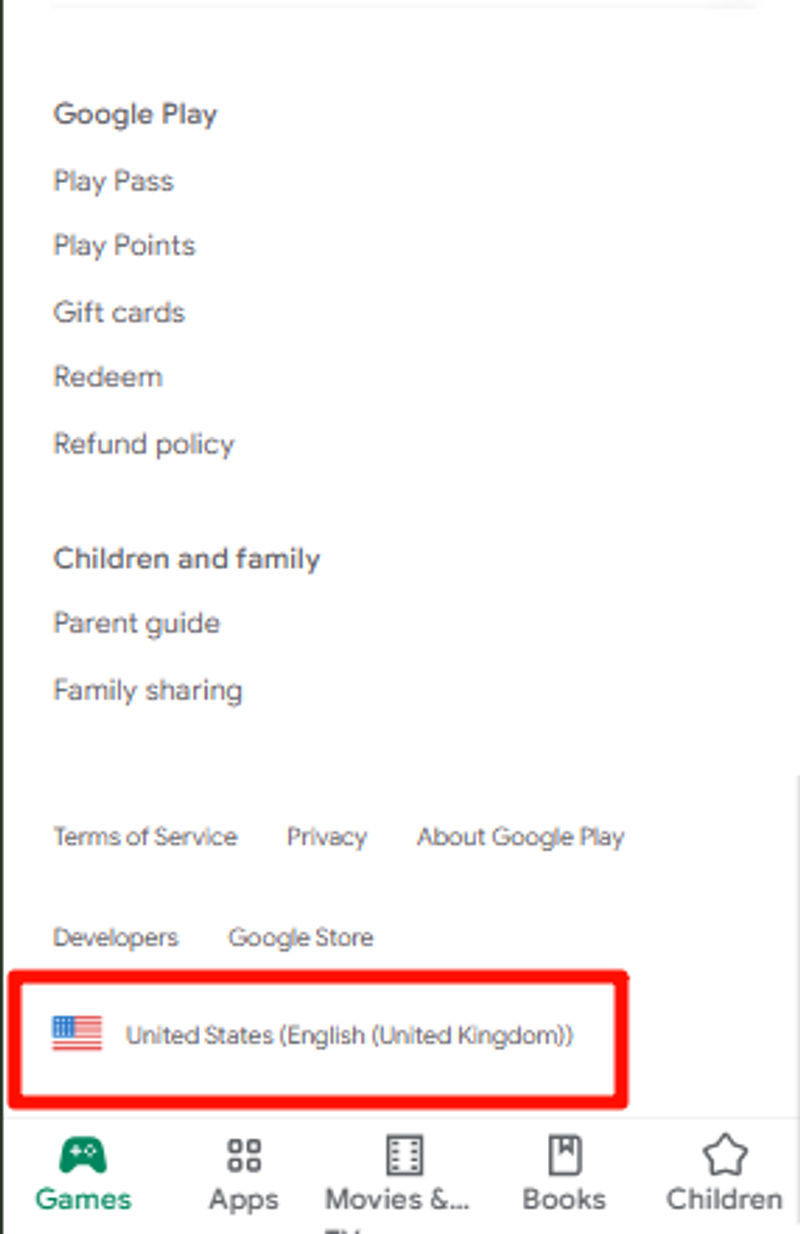
Go to the official Google Play website: play.google.com
Scroll down to the very bottom of the page.
Look for the flag icon in the footer to see your account's country.
Step 2: Important Prerequisites Before You Start
To ensure the process is successful, you must meet all of the following conditions:
- US Network Environment: You must use a VPN connected to a United States server throughout the entire process.
- No Active Subscriptions or Balance: Your Google Play account must have zero balance, and you must cancel all active subscriptions (like Google One or your current region's YouTube Premium).
- Leave Any Family Group: You cannot be a member of any Google Family Group. You must leave it before changing your region.
Step 3: How to Change Your Google Account Region to the US
Once you've met the prerequisites, you can begin.
- Connect to VPN: Make sure your VPN is active and connected to a US server.
- Go to Google Pay: Return to the "Settings" page on pay.google.com.
- Create a New Payments Profile: Look for the option to "Create new profile" or click the pencil icon next to your current profile. We strongly recommend creating a new US profile instead of editing your old one.
- Enter a US Address: When prompted, select the "United States" as your country and fill in a valid US address (you can find one using online generators).
- Confirm the Change: Once the new profile is created, your account will have a US region profile. Refresh the page and confirm that your "Country/Region" now shows "United States".
Success! What's Next?
Congratulations! Your Google account is now based in the US, giving you access to services like the US YouTube Premium family plan.
Want a professionally managed option? Jaideepass YouTube Premium starts at $49.90/year, with our team managing the family group and supporting you throughout the full subscription term.
Related Subscription